Quick Start - How to Use Collage Maker
Our collage maker tool allows you to create stunning image compositions with ease. Follow these steps to get started:
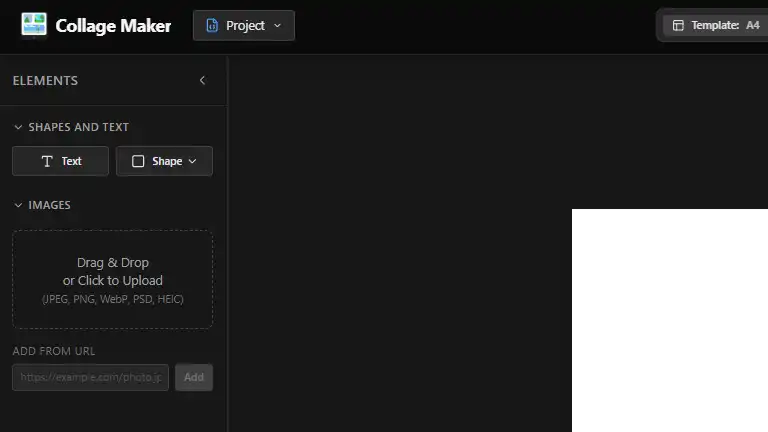
- Add Images: Drag and drop images onto the designated area or use the "Add Image" button in the tray.
- Create a Layout: Click an image to add it to the canvas. Move it around and resize it to your liking.
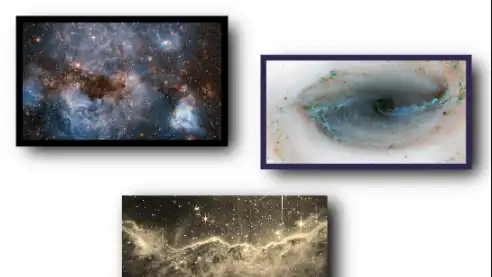
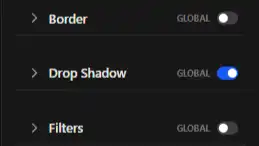
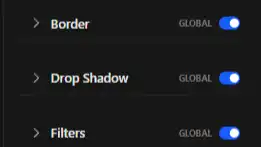
- Style Everything: Use the Styling Panel to add borders, shadows, and filters to your images.
- Batch Edit: Toggle Global Mode to apply styles to all images at once or edit individually when off.
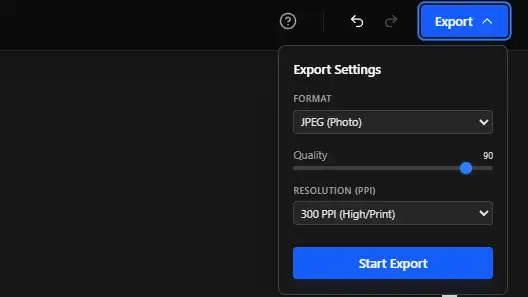
- Export Anywhere: Export as PNG, JPG, PDF, or ZIP (project). Save your project file for later editing on any device.
Frequently Asked Questions (FAQ)
- How do I remove an image? Select the image on the canvas and click the trash icon in the styling panel or press the Delete key.
- Can I undo my changes? Yes! Use the undo/redo buttons in the header or press Ctrl + Z (Cmd + Z on Mac) to revert your actions.
- Is my progress saved? Your work is automatically saved in your browser's local storage. You can also export your project to a file.
- How do I export my collage? Click the 'Export' button in the header. You can choose to export as PNG, JPG, PDF, or ZIP (project).
Use Cases
- 📱 Social Media: Create stunning Instagram stories, Pinterest boards, and Facebook banners.
- 📸 Photography: Arrange your photo shoots into professional mood boards and contact sheets.
- 🎨 Digital Art: Build complex compositions using layers, transparency, and filters.
- 🏢 Presentations: Design high-resolution visual assets for your slides and documents.